
Same crew, more sites.
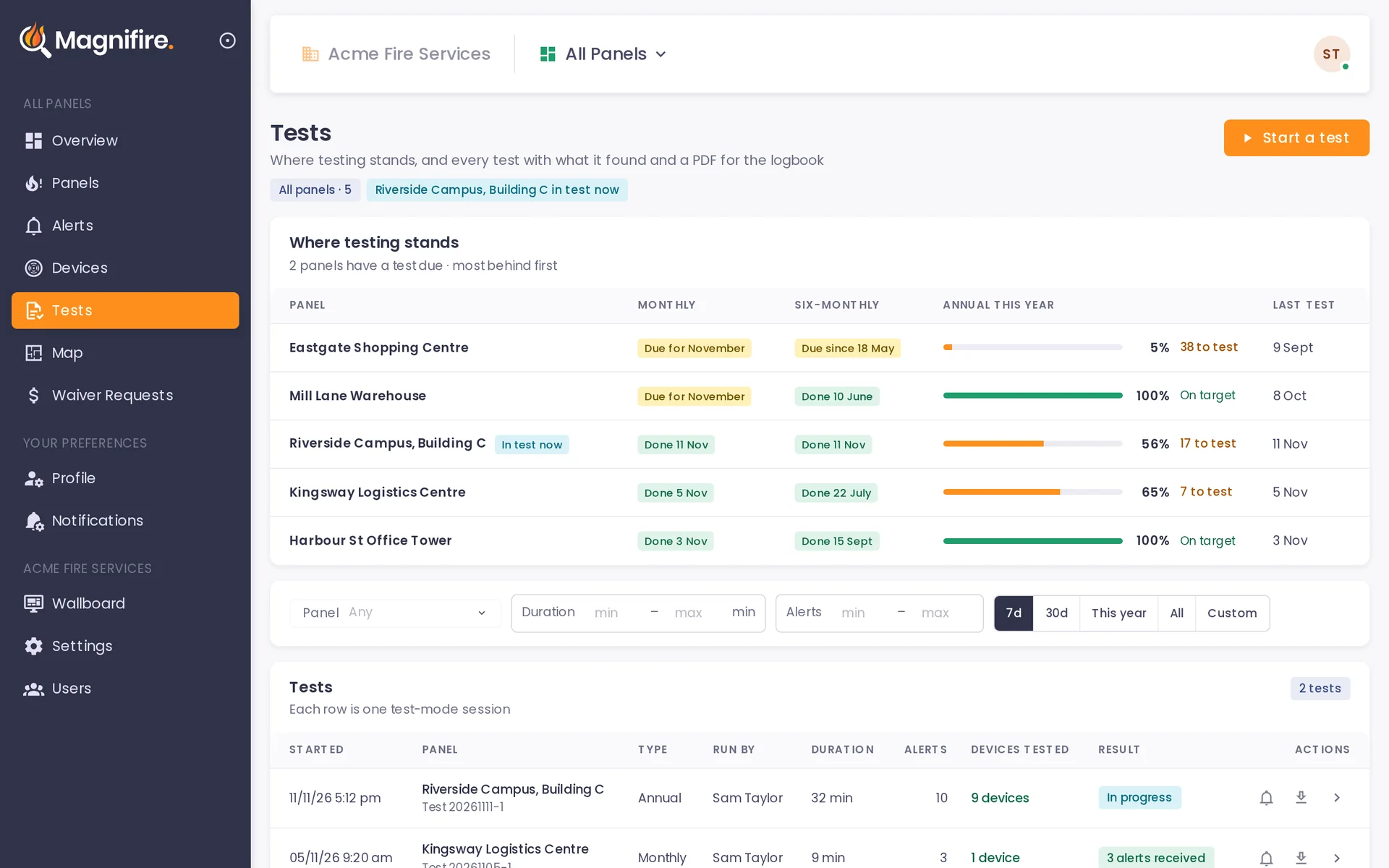
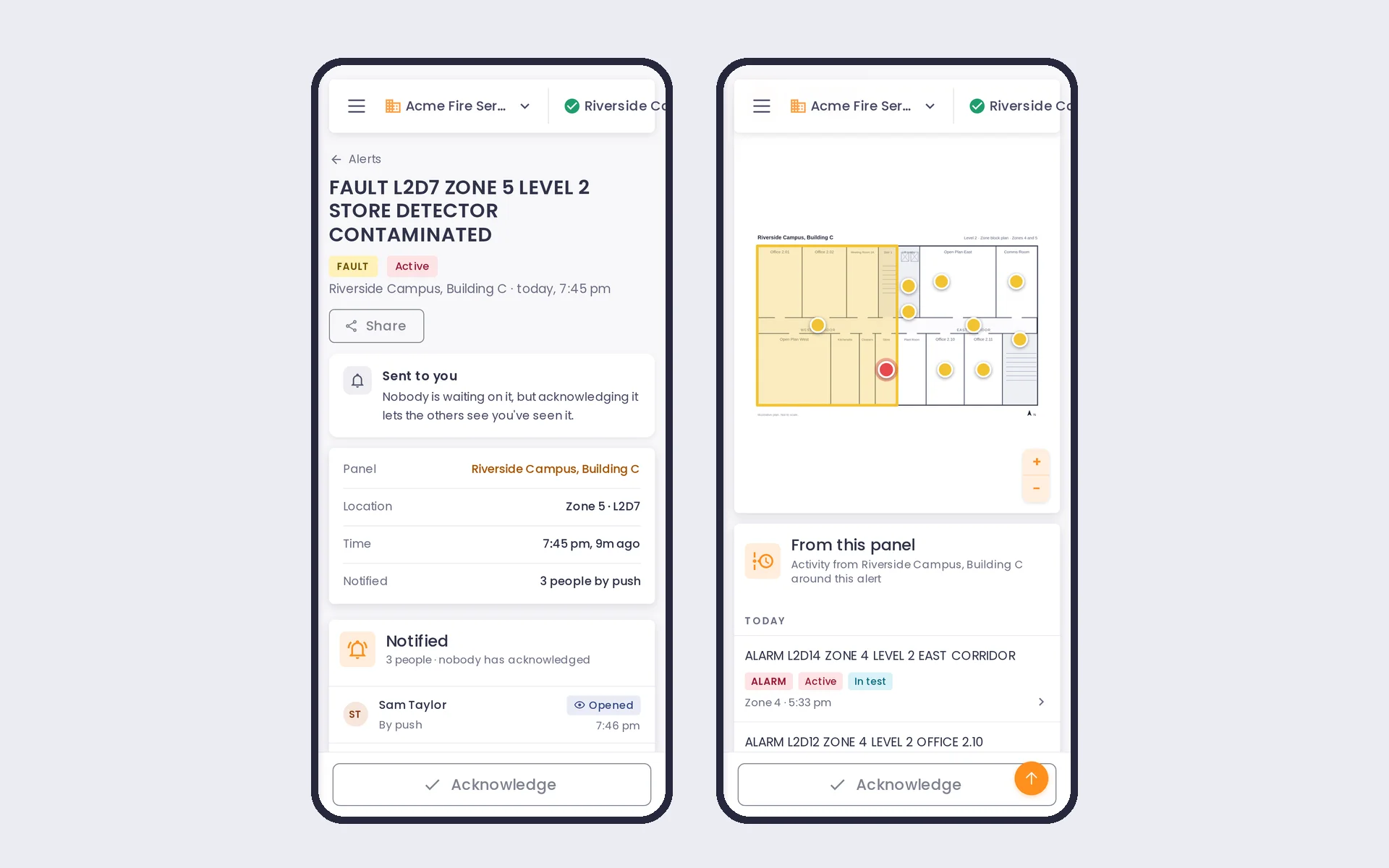
A fire panel test takes two technicians today: one setting off devices, one at the panel reading the results over a radio. With Magnifire it takes one. The panel's own message is on their phone in seconds, and the device ticks itself off the list. Your second technician is free for the next site.
A Magnifire unit reads the panel's printer port and sends it over its own 4G. It can't control the panel, and it never touches the building's network.
The same test, with one technician instead of two
2technicians on every test
- The report is written up after the visit.
- The office sees the result when the paperwork comes back.
1technician on every test
- The report is ready when the test stops.
- The office watches the test as it happens.
- The second technician is on another site.
The whole job, side by side
Your technician still isolates the brigade signal before testing. Magnifire's test mode only pauses Magnifire's own alerts.
The logbook stays on site. The Magnifire report is the detail behind it.
Magnifire only reads what the panel prints. It can't control the panel.
One annual test, on the technician's phone
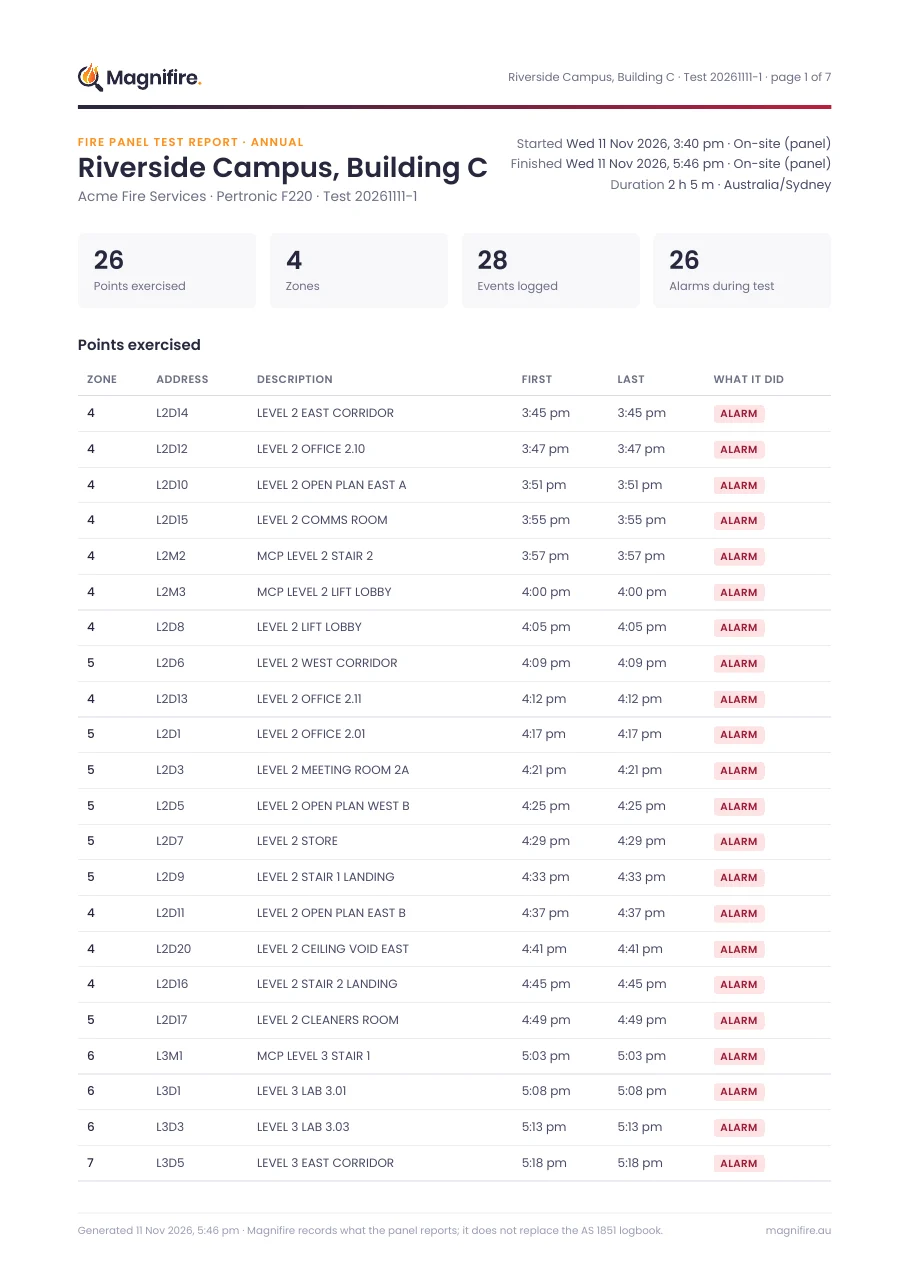
The report is done, and the office can see where every panel is up to
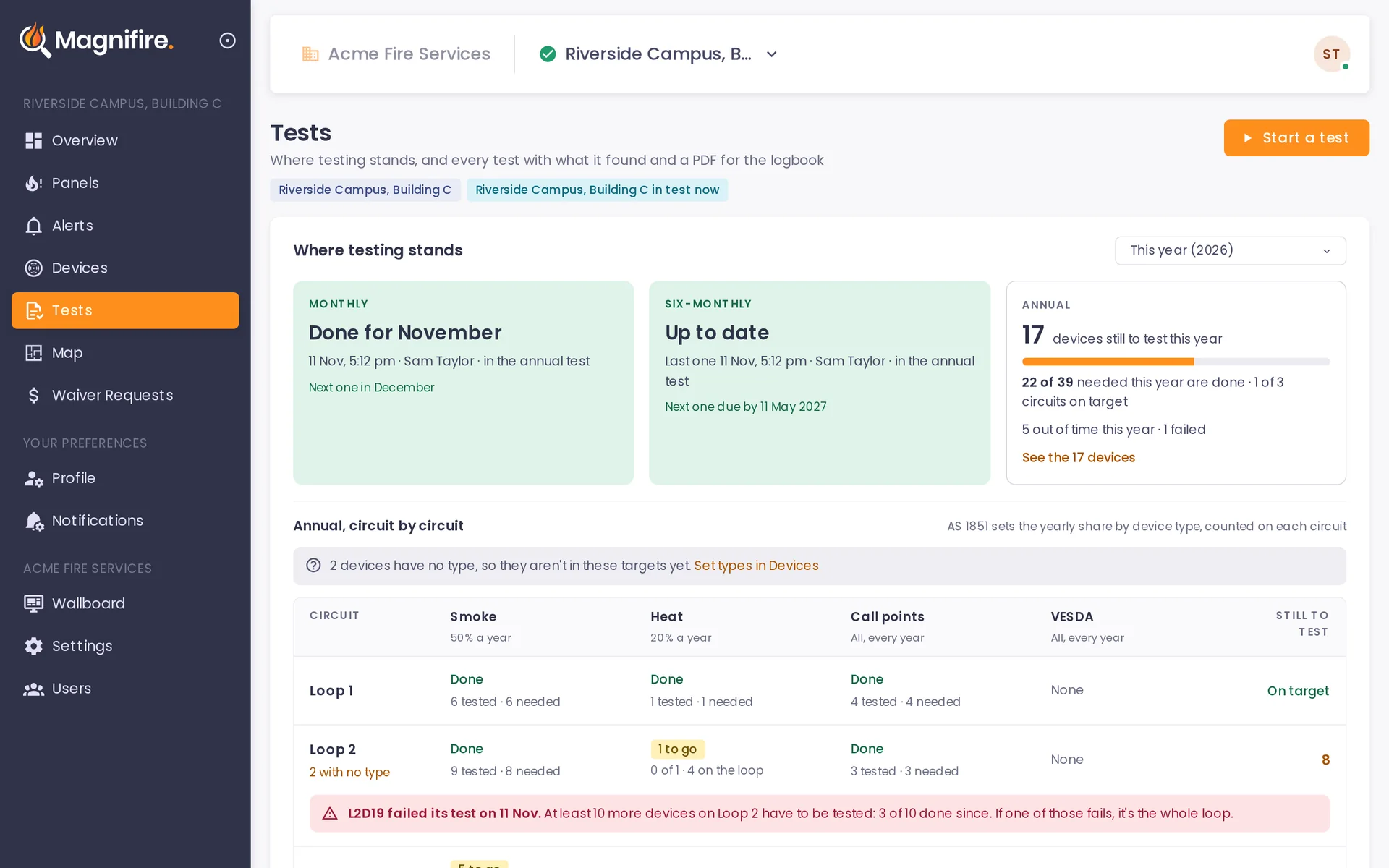
What the phone counts toward each year
The AS 1851-2012 figures, counted on each circuit (each loop on an addressable panel). A device counts when the panel reports an alarm from it during a monthly, six-monthly or annual test, or when the technician marks it by hand. When a device fails, it stays due until it passes and Magnifire asks for 10 more on that circuit. If a second one fails, the whole circuit is due. Fault-finding visits never count.
It listens to the printer port. That is all it does to your panel.
Brigade signalling. Unaffected. Magnifire works alongside your alarm monitoring, not instead of it.
The panel. No rewiring and no panel modifications. Magnifire reads what the panel prints.
The building's network. Never used. Each unit has its own 4G, on Telstra or Optus, whichever is stronger at the panel.
Magnifire connects to every fire panel, whatever the brand or age
It reads the printer or serial port, and every panel has one. So it doesn't matter who made yours or how old it is.
One unit per site, including a networked site: it reads every panel on the network from one connection.
On an Ampac FireFinder Plus, a door printer and Magnifire can't share the port. It is one or the other.
Your own people set up each site, on site or from the office
Every site starts from its baseline data: the list of zones and devices on that panel. Your technicians or your office upload the building's plans and place each device against that list. We help whenever you want it.
-
1
Start from the baseline
The zones and devices on the panel, each with its address and description.
-
2
Upload the plans
The building's own drawings, added by your technician or your office.
-
3
Place each device
Each one goes on the plan against its line in the list, so nothing is missed.
Who does it is up to you
- On site
- Your technician, while they are at the panel.
- From the office
- Your office team, working from the drawings.
- With us
- Magnifire supports your people whenever they want a hand.
Work it out, site by site
Worked example. These are example figures, not Blue Fire's.
A networked system is one unit. Ninety-two networked panels, one unit.
Not counted above: the second technician's travel, and the call-outs you skip because you know the fault before you leave. There is no cap on the number of sites. Fit a unit on as many as you look after, in the order that suits you.
Put a live view of every panel in your next tender
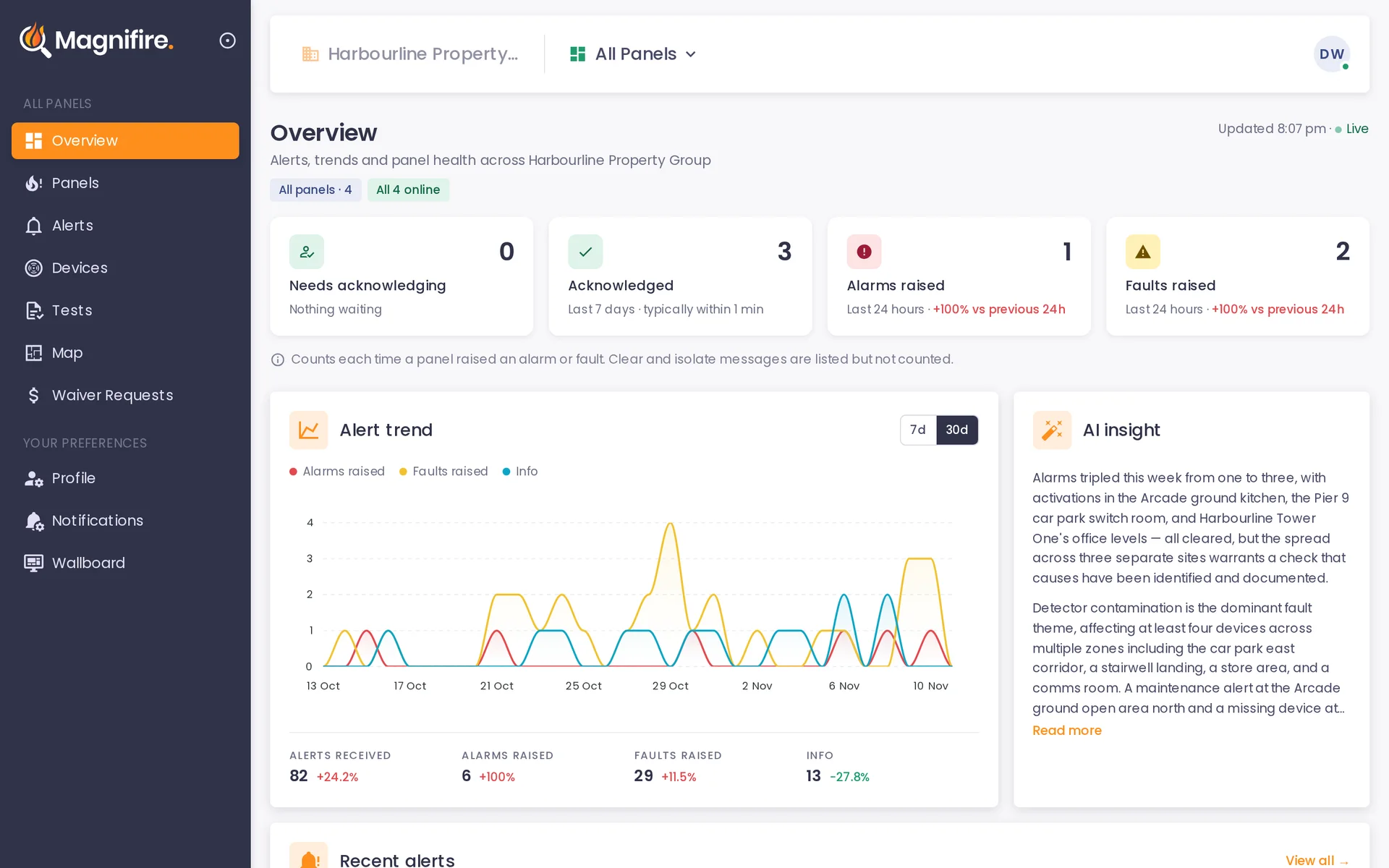
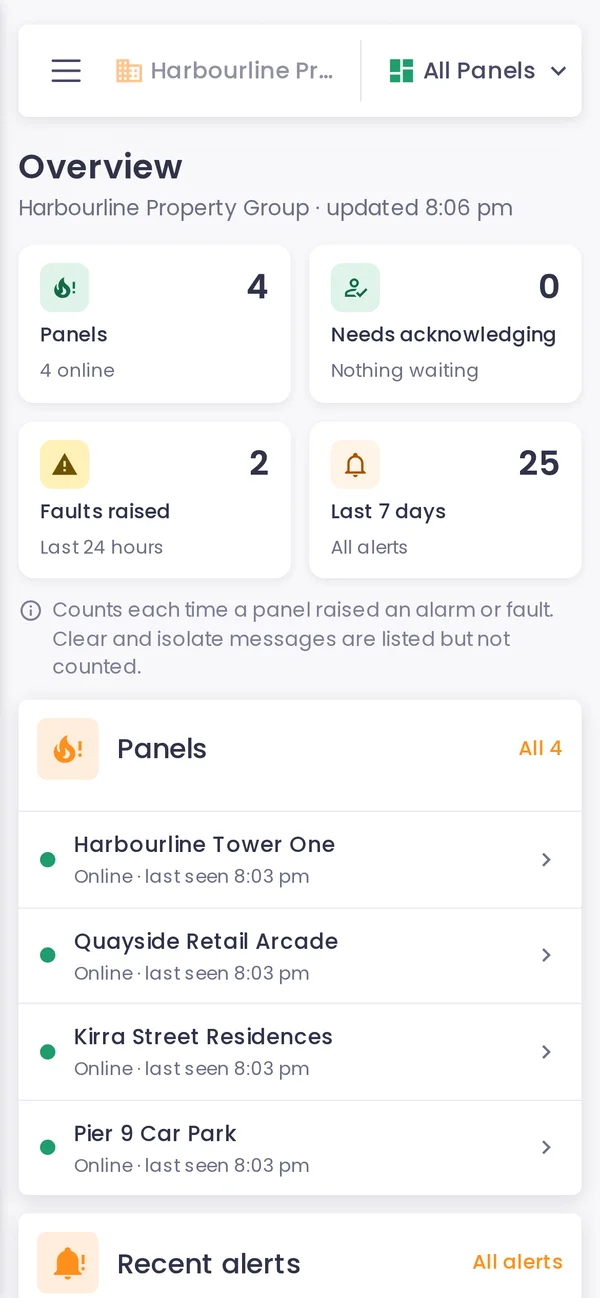
Your biggest clients tender their contracts and review them. With a unit on each panel you can show them two things a logbook can't: every alarm and fault as it happens, and every test, device by device.
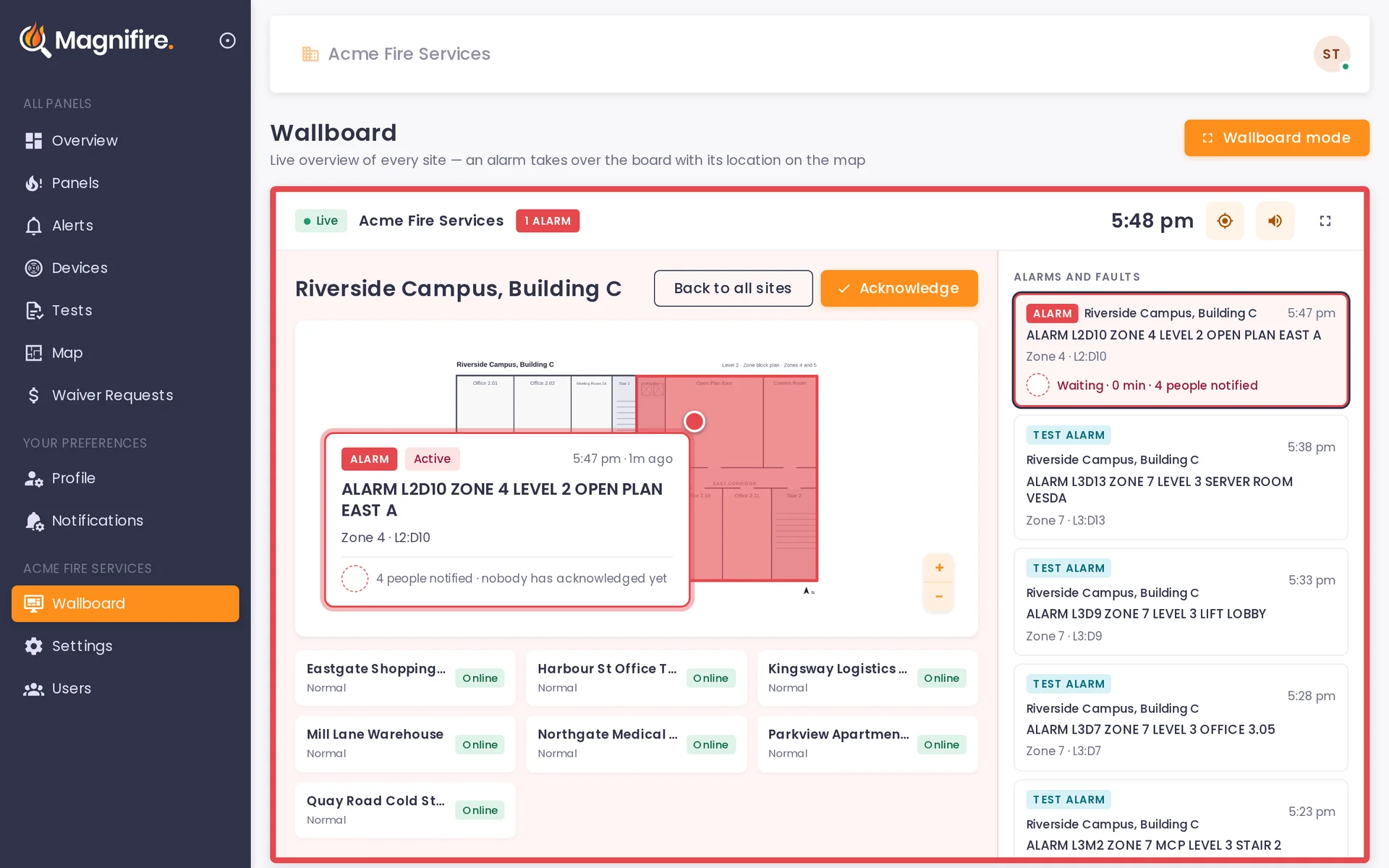
- 1 Eight sites, all quiet
- 2 Alarm comes in
- 3 The board switches to that site's plan
Evidence for every device, after every visit
The report is ready when the technician stops the test. It lists each device by address and description, with the time the panel reported it.
- A live status for every panel you maintain, on one screen.
- Each year's testing counted against the AS 1851 targets, loop by loop.
- Who was told about each alarm, who opened it and who acknowledged it.
Testing pays for the unit. Everything else it does is yours to use, and to sell.
The unit stays on the panel between tests. That gives your office a live view of every site you look after, and gives you services to offer the people who own them.
Running your own business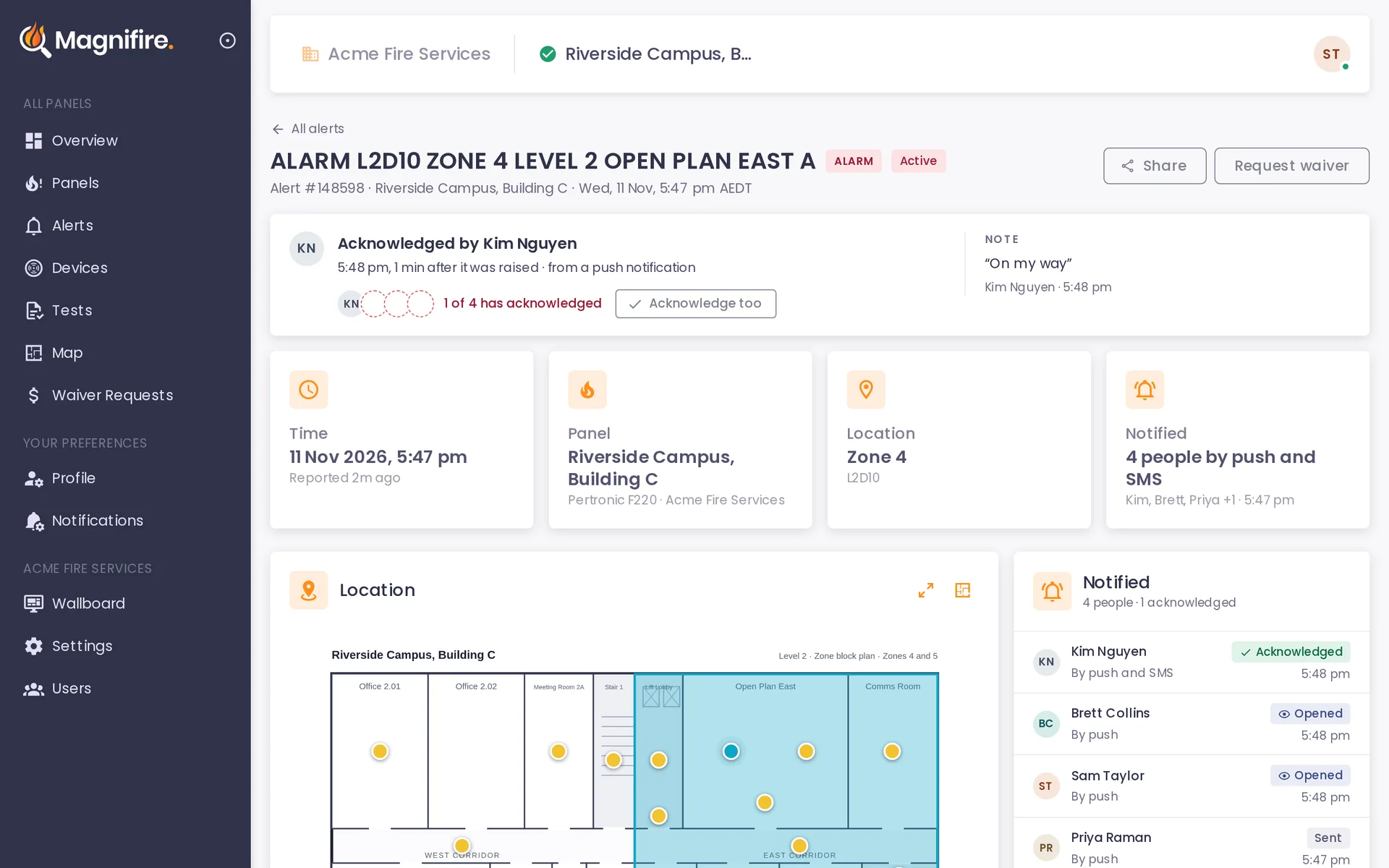
Every site with a unit on it is a site you can sell more to.
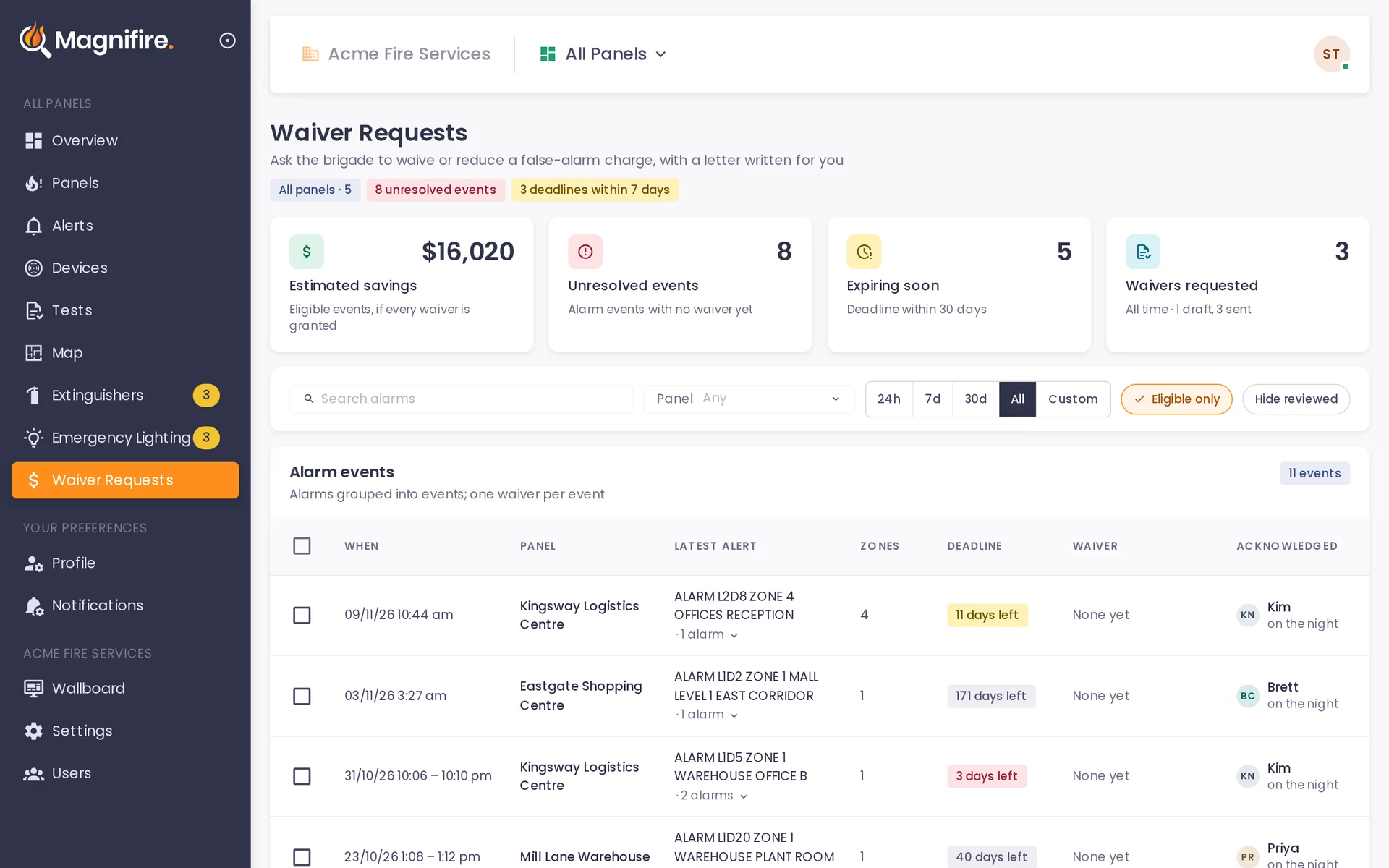
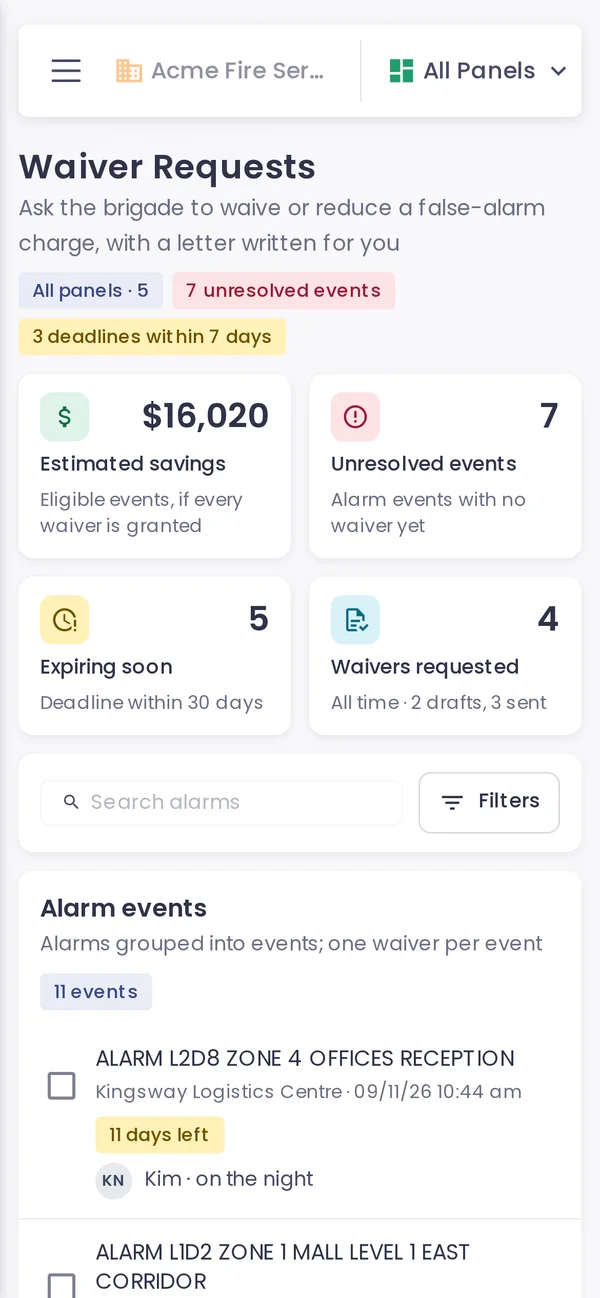
A false alarm fee, challenged in five steps.
Every alarm outside a test is grouped into an event, with the days left to apply under that state's rules. Pick one and Magnifire writes the waiver letter on your letterhead, with the site's testing history attached.
- Rules and standard fees for all eight states and territories.
- An estimate of what is at stake across your open events.
- A Request waiver button on every alarm.
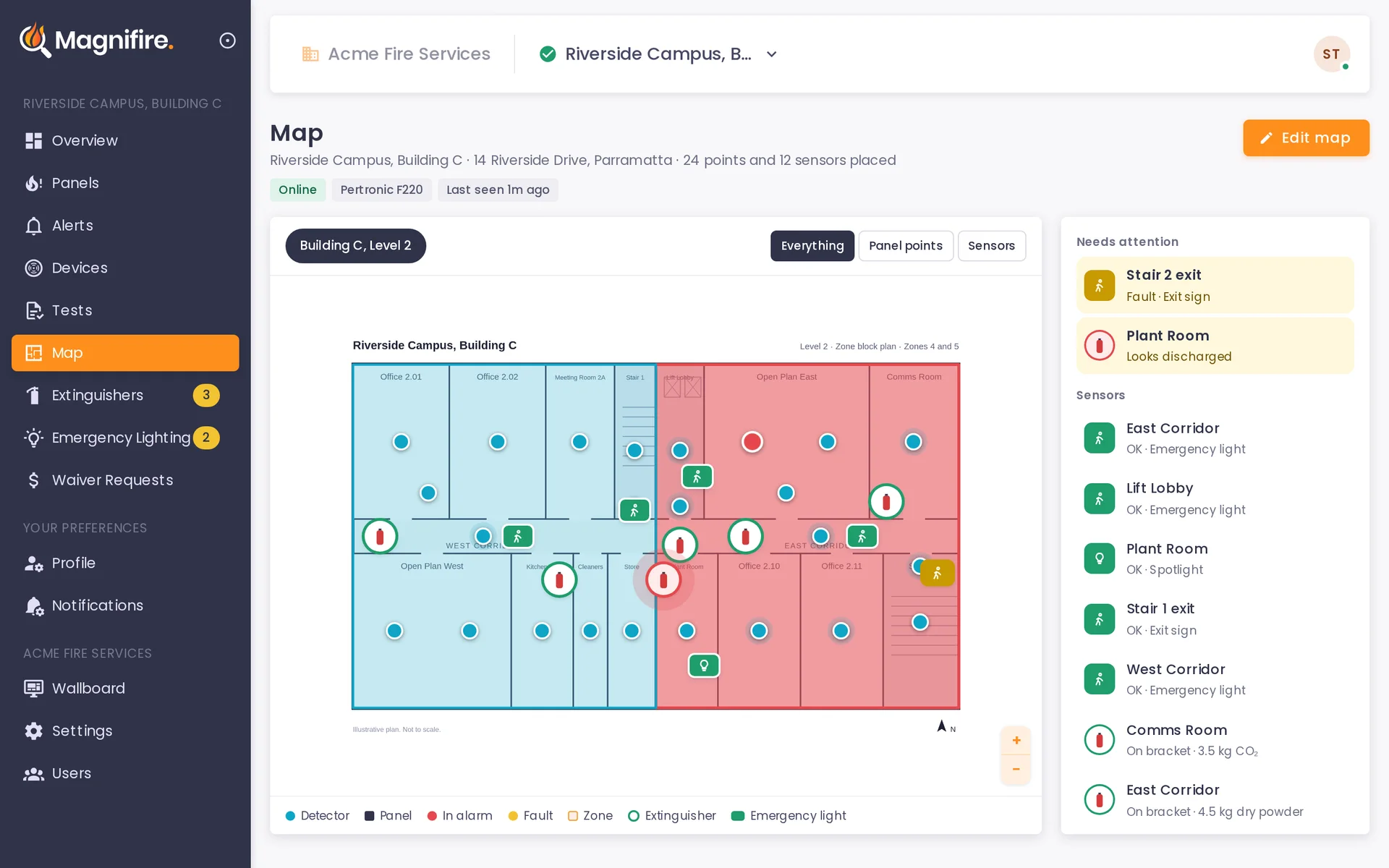
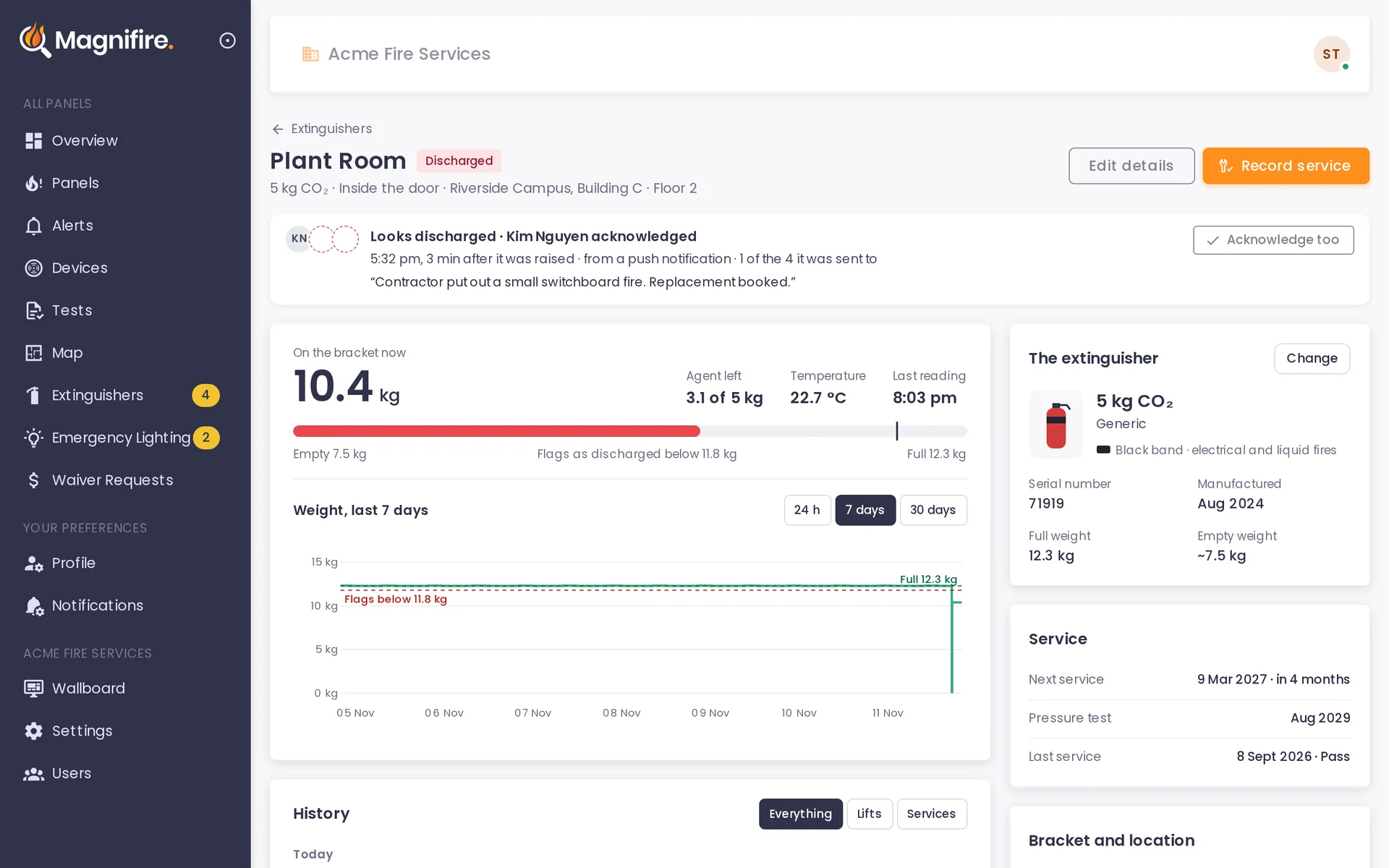
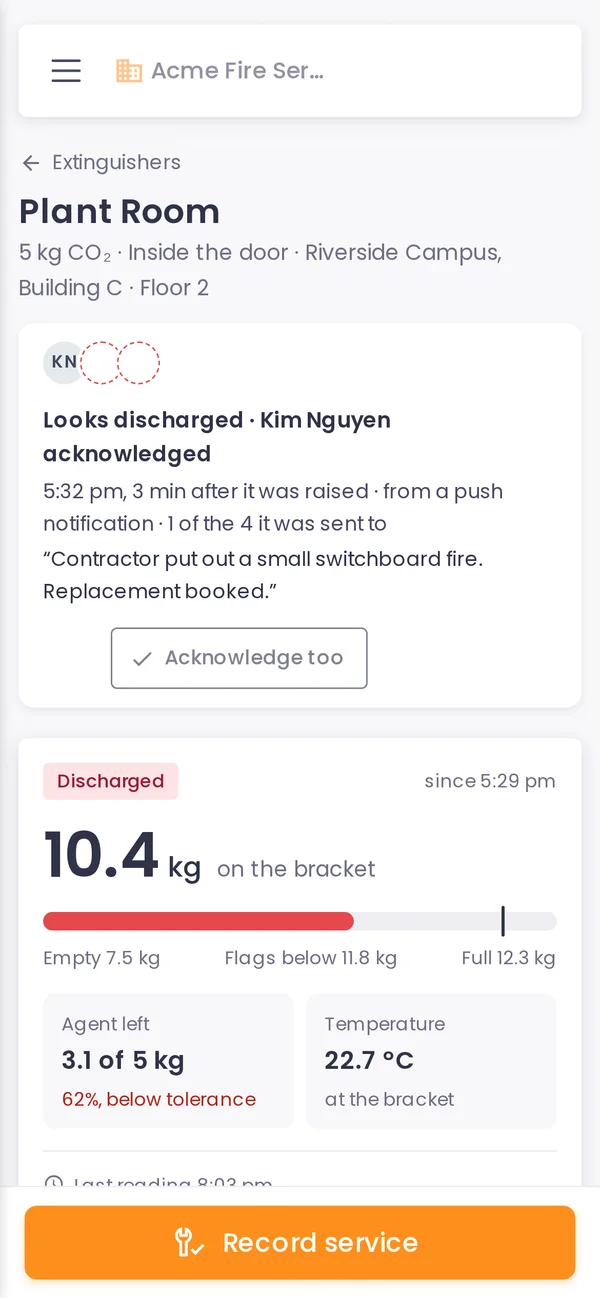
Extinguishers that report in.
A smart bracket weighs each extinguisher. You and your client know when one is lifted, comes back lighter or stays off its bracket, on the day it happens.
- Weight history for each one, with a flag when it looks discharged.
- Service dates and records kept against each extinguisher.
- Pinned on the site map and shown on the wallboard.
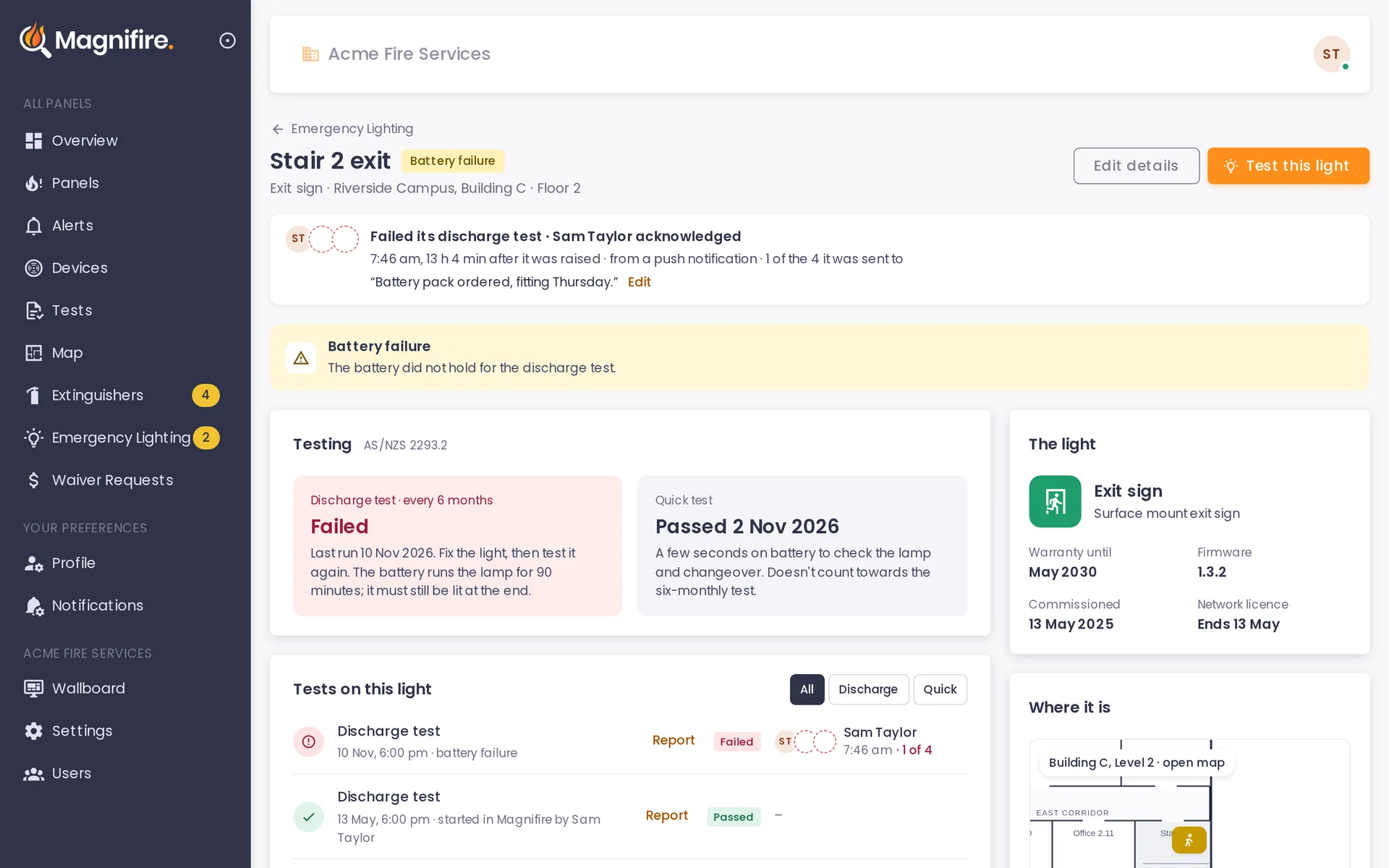
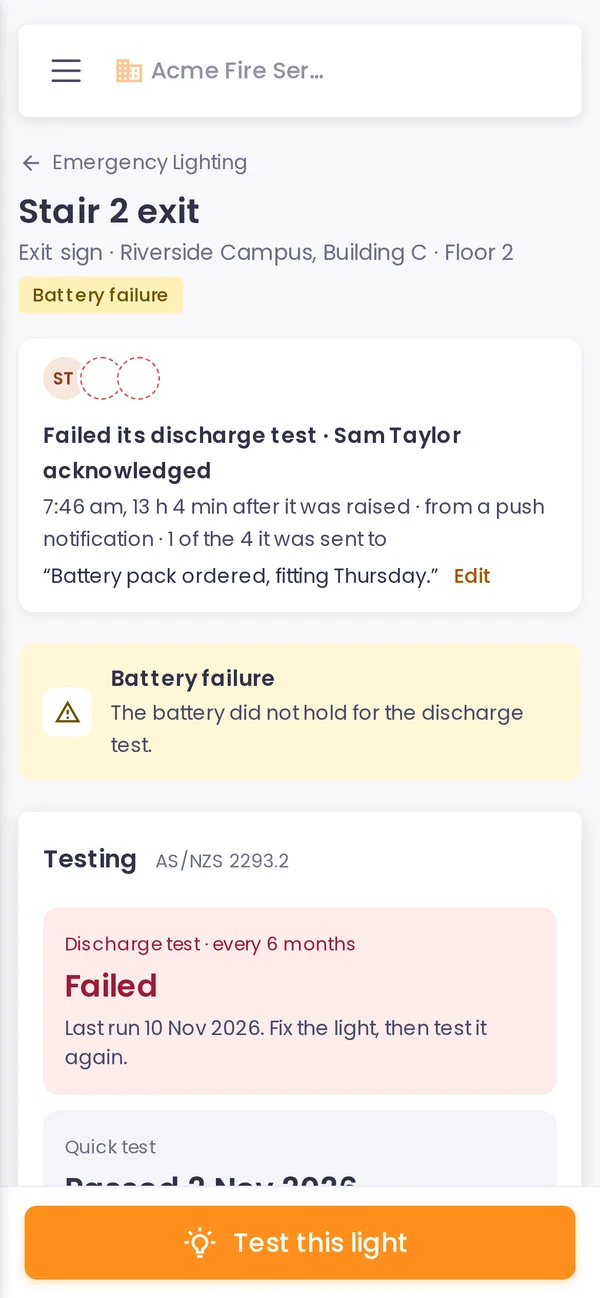
Emergency lights tested from the office.
Start the 90-minute discharge test from the app. Each light and exit sign reports its own result, and a failed fitting is named with the reason before anyone walks the building.
- Six-monthly discharge tests tracked, with what is due.
- Test history kept for every fitting.
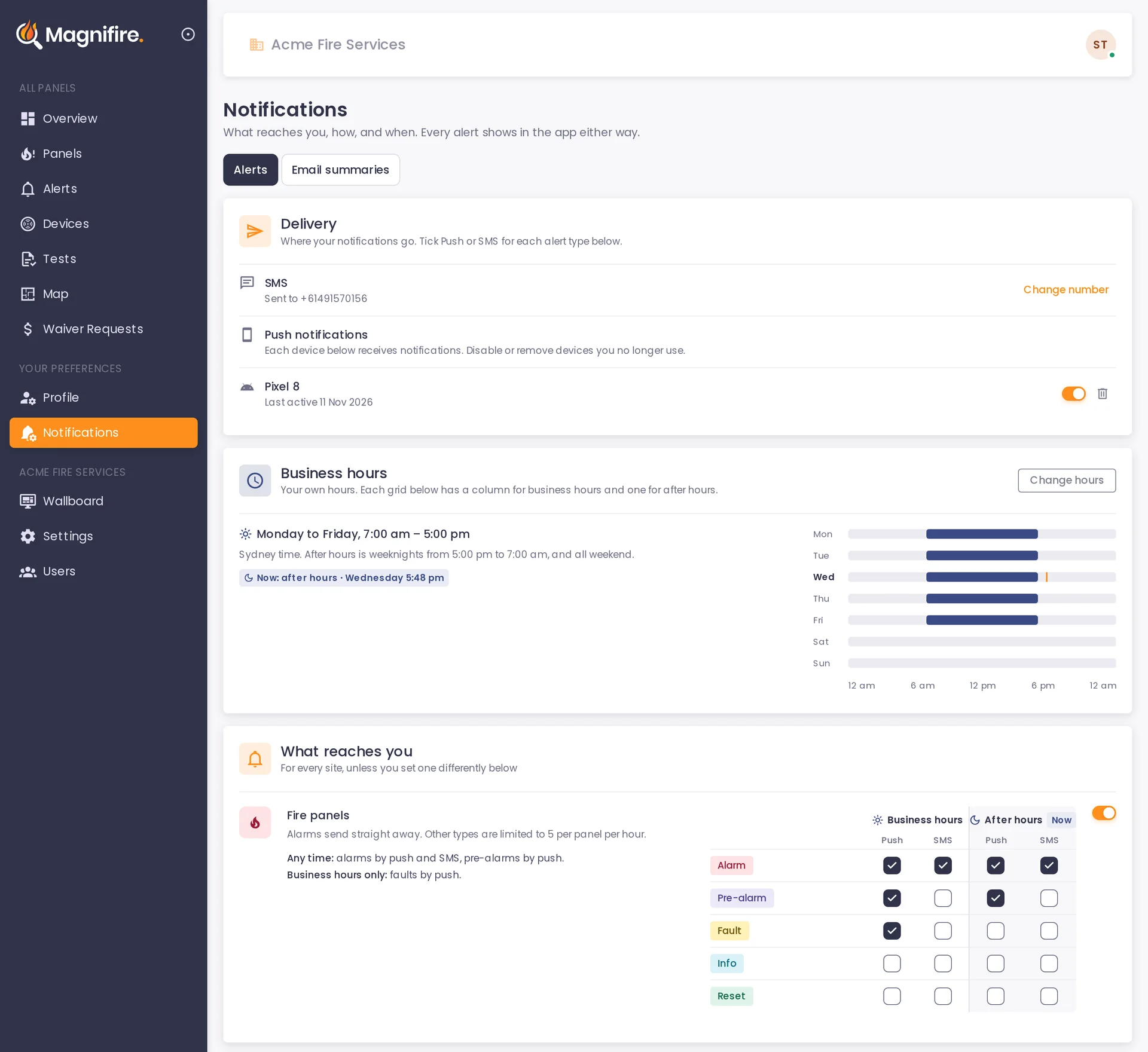
- A failed test alerts the people you choose.
A login for the building's owner or manager.
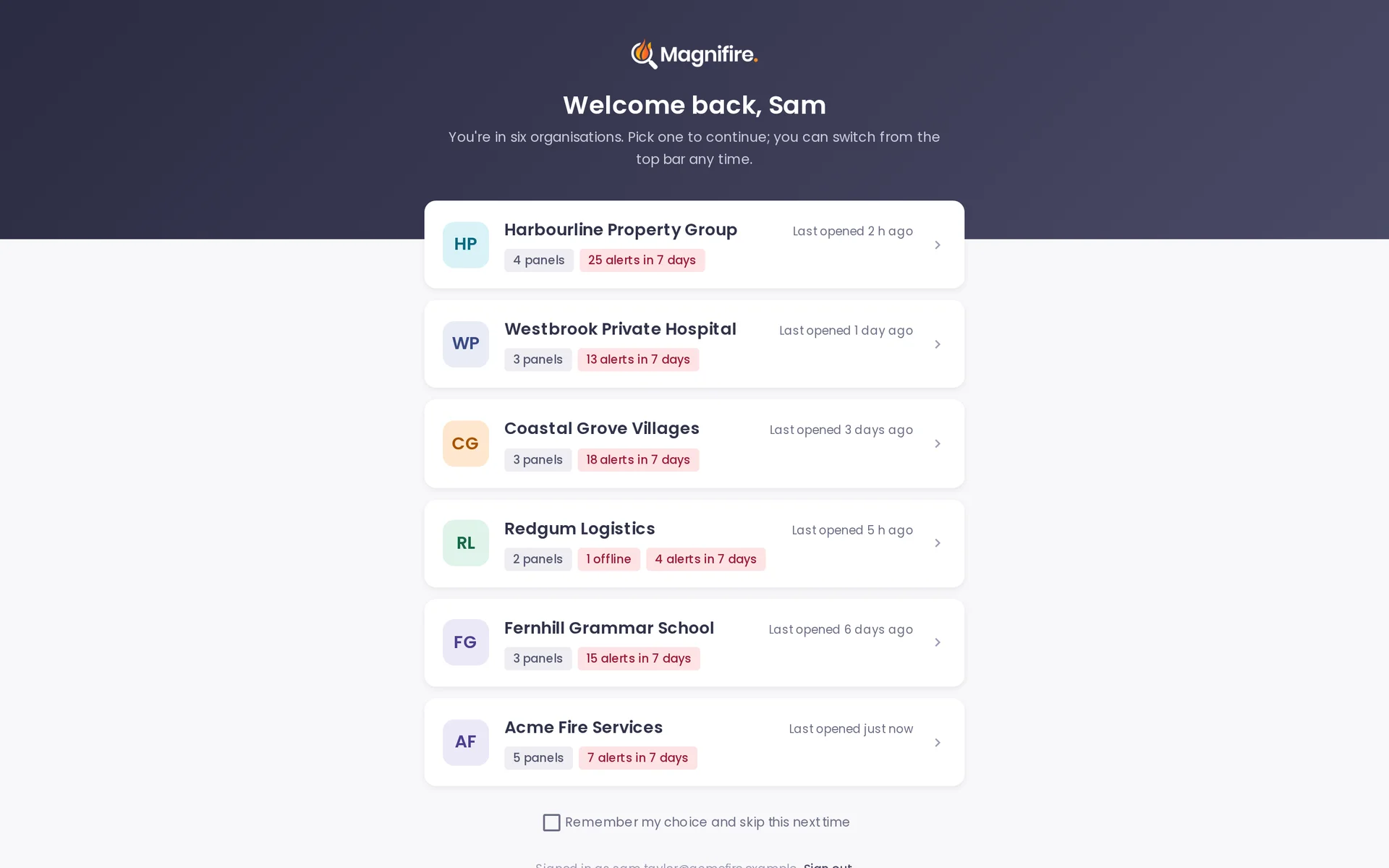
Invite your client into their own organisation. They see their panels, alerts, tests and maps, and choose their own notifications. They can't change settings or users.
- You invite them and set their role.
- They see only their own organisation.
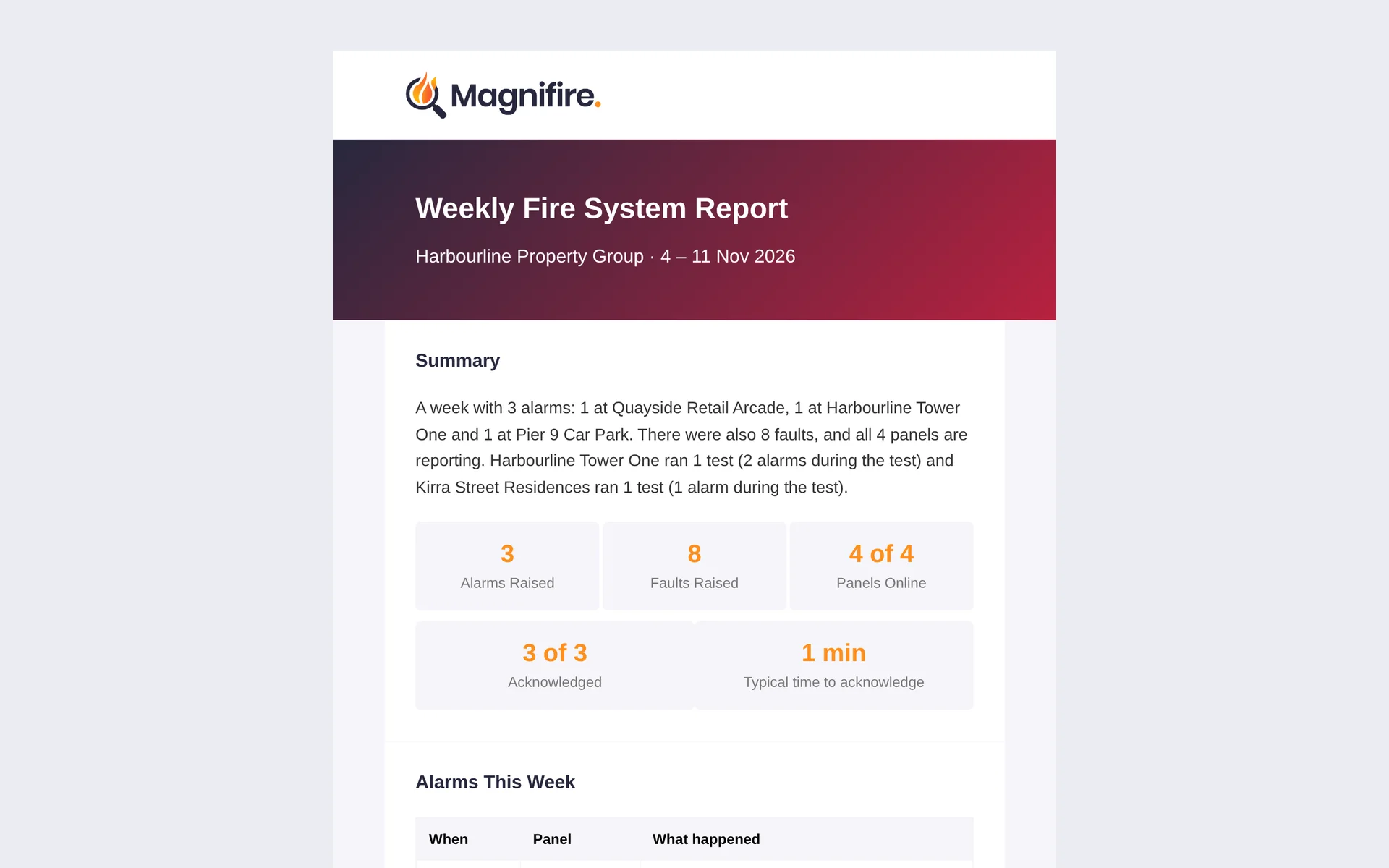
- The same weekly and monthly summaries, in their inbox.
Extinguisher and emergency lighting monitoring use their own hardware, on the same account. Ask Blake about partner pricing.